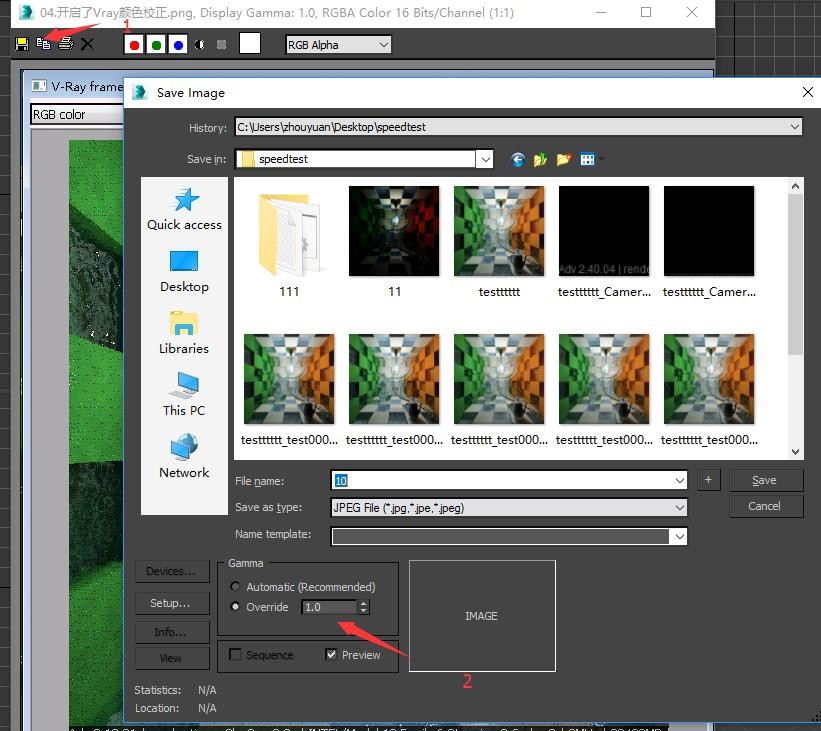


How to Use Gamma Correction
2026/09/01
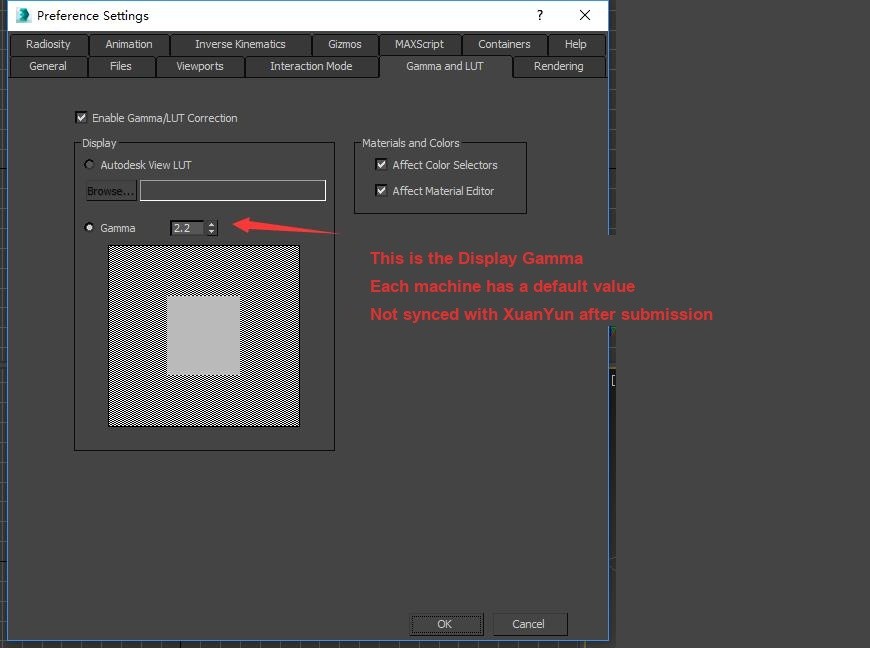
1. Display Gamma Value
The display gamma does not affect the final output result. It only affects the gamma value of the image shown in the preview window. Therefore, modifying this parameter locally will not affect the rendering results on the platform.
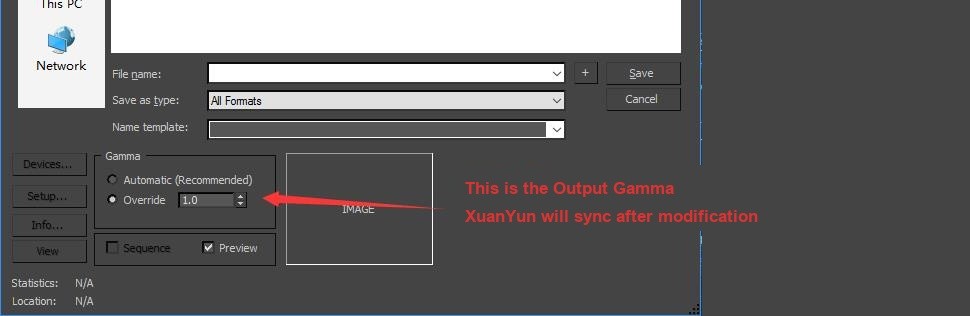
2. Output Gamma Value
This parameter is the gamma value used for the final render output.
The correct way to achieve the local preview gamma effect in cloud rendering:
- 1) After enabling gamma correction, adjust the display gamma to the desired effect.
- 2) In the output gamma interface, modify the output gamma to match the display gamma.
- 3) Submit the task.
PS. Don't worry if you submitted incorrectly — adjustments can be made afterward.
- 1) Open the image you need to modify here.
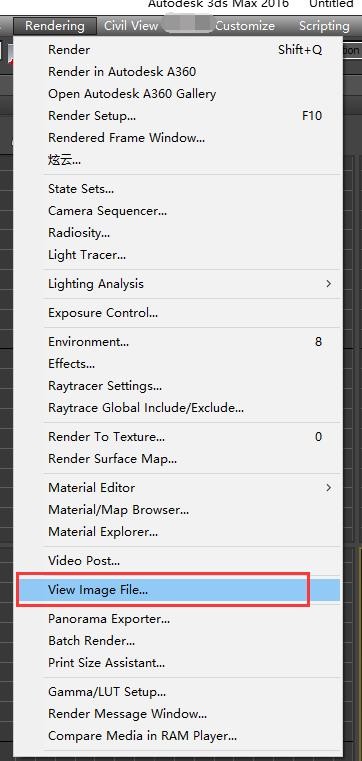
- 2) After opening, you can re‑save the image. At this point, you can readjust the gamma and image format.